Mac, iPhone and iPad · private beta
cc-remote
Your coding sessions, one tap away.
cc-remote runs Claude Code sessions on your Mac. Each session gets a board, a live summary with progress and decisions you answer by tapping, from the Mac or your iPhone.
01 · What it does
Claude Code sessions, from your Mac and your phone.
Start a session anywhere on your Mac.
Pick a folder and start a new Claude Code session from the Mac or from your iPhone.
Every session in one list.
See what each session is doing, and get a push notification when one is waiting for you.
Native on Mac, iPhone and iPad.
One SwiftUI app on every device, not a web view in a frame.
02 · The board
Read a board, not a transcript.
In each session, Claude keeps a live board beside the chat: short blocks that say what happened and what it needs from you.
Blocks
Short summaries of what happened, so you read three lines instead of scrolling the chat.
Picks
Numbered decisions with lettered sub-options. Tap one and the answer goes back to the session.
Progress
The step the session is on, such as "Step 2 of 3", always at the top.
Checklists
What is done, what is in progress and what is left.
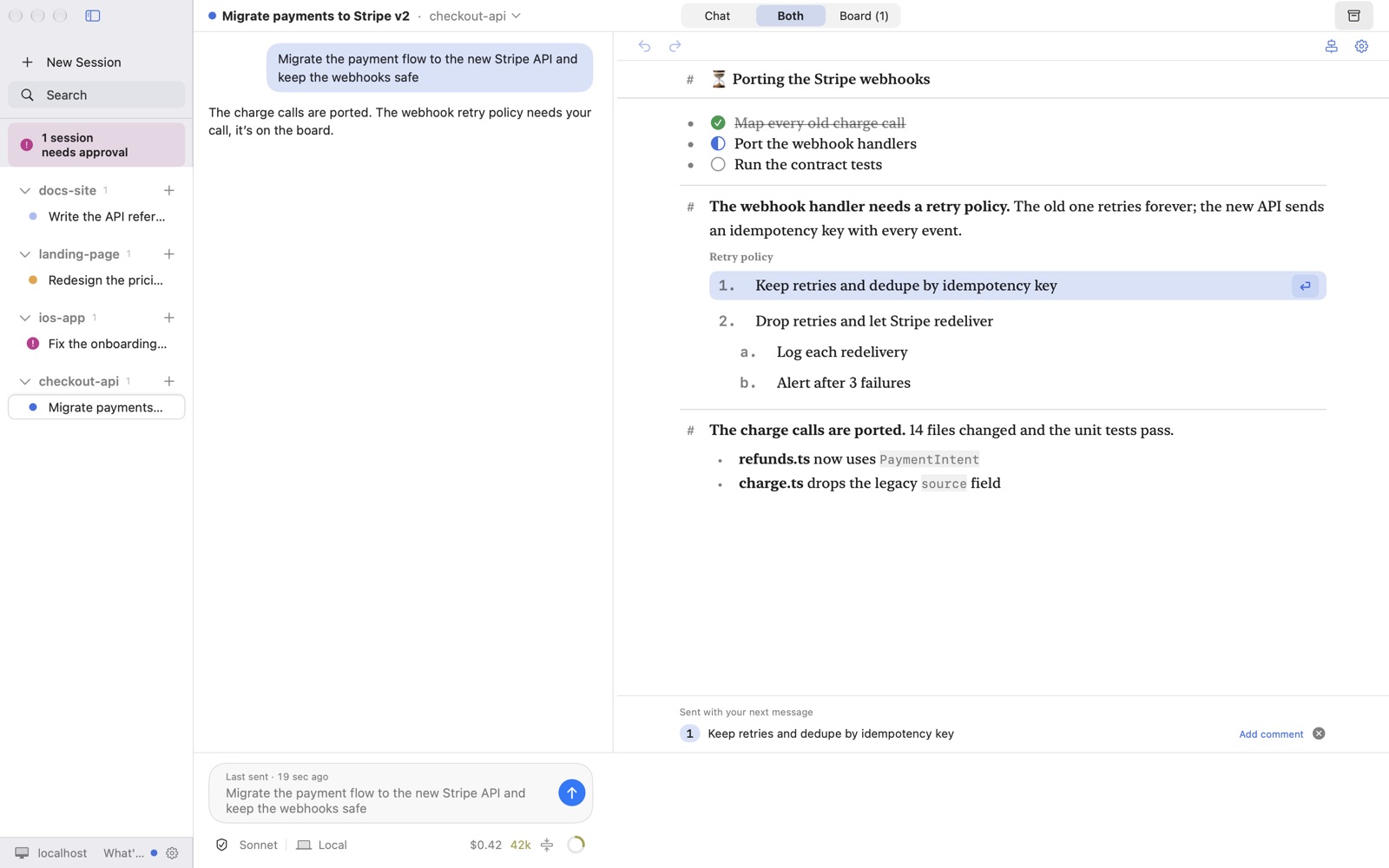
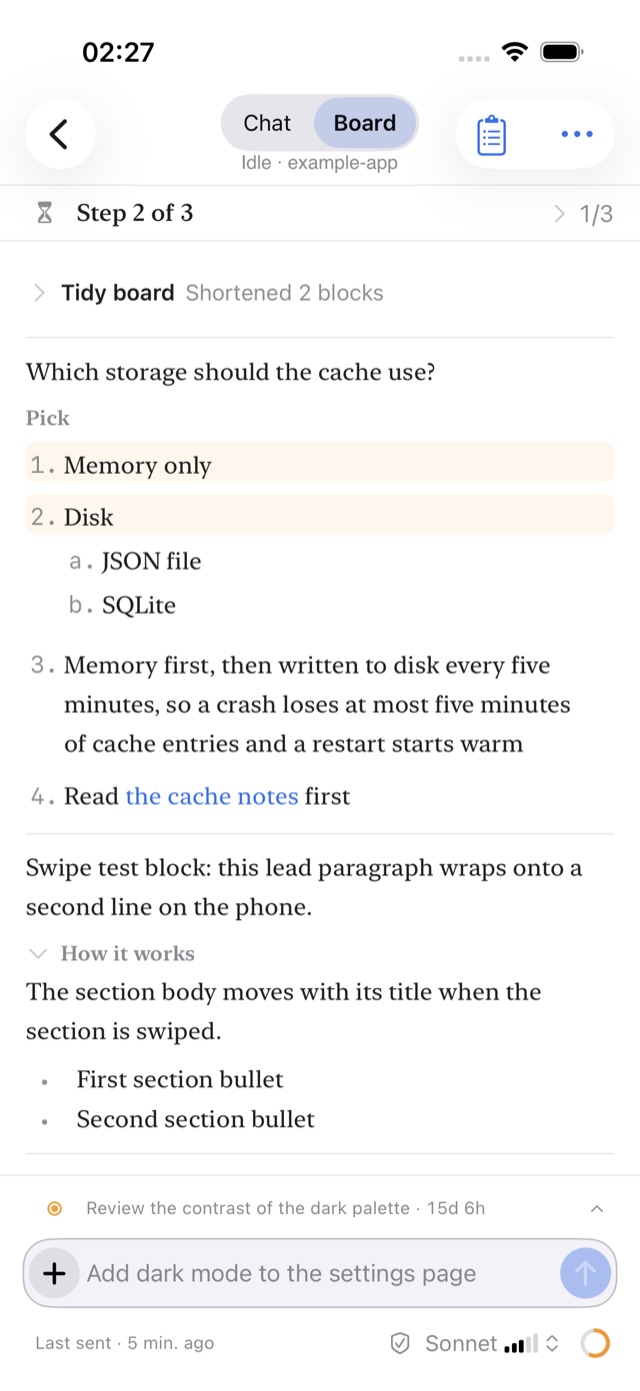
The chat is still one tap away.
03 · Mac and iPhone
The Mac runs it. The phone answers it.
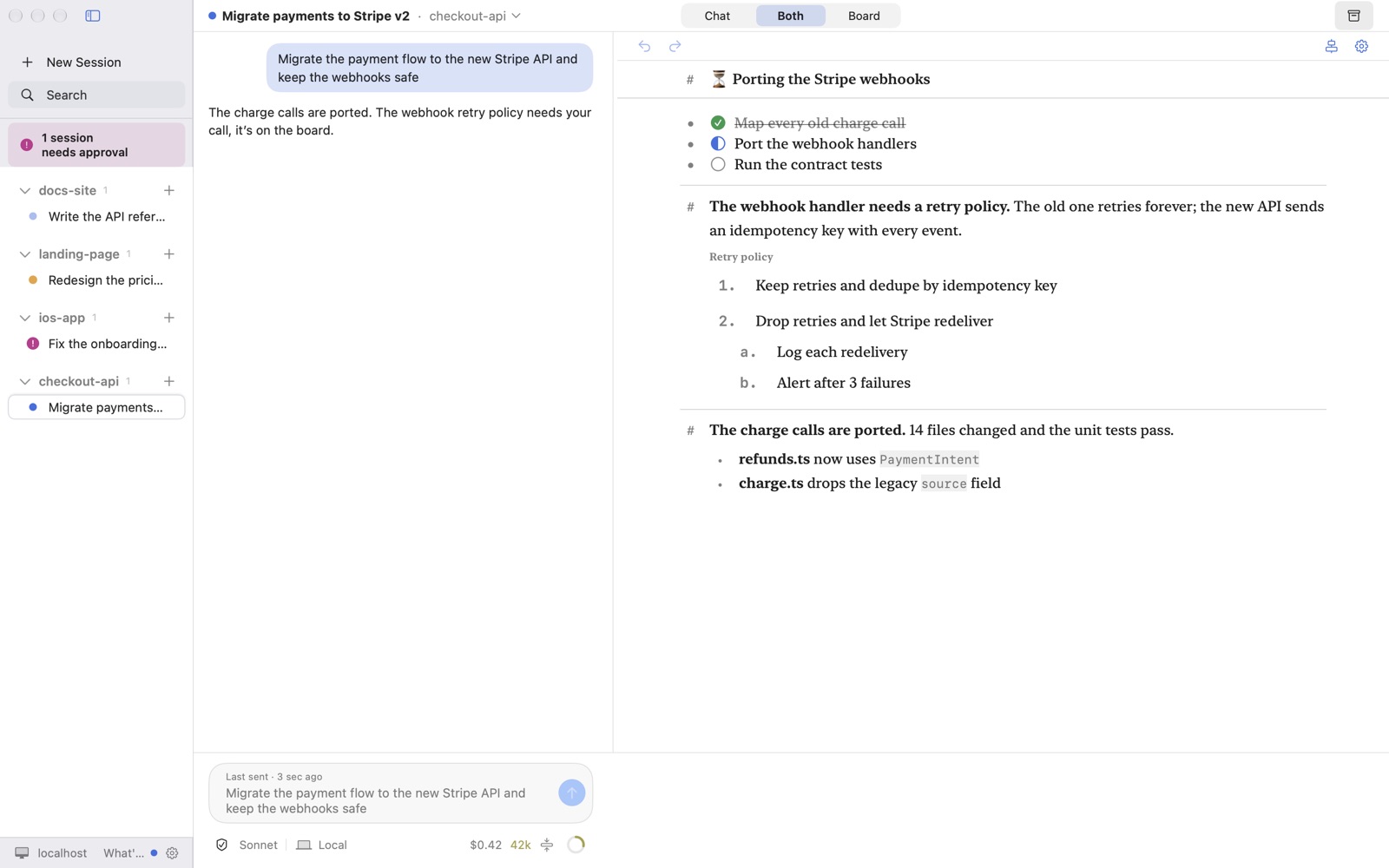
The Mac app runs the sessions on your Mac. Your iPhone and iPad pair with it and show the same board and chat, so you can answer a pick or approve a permission from the couch.
04 · Join the beta
Get a spot in the private beta.
The beta is for Mac users who run Claude Code every day. You get one email when a spot opens.
05 · FAQ
Questions, answered.
What do I need?
A Mac on macOS 26 with Claude Code installed and signed in to your own Claude account. For the phone app, an iPhone or iPad on iOS 26.
Where does my code run?
On your Mac. cc-remote runs Claude Code there; nothing runs on Binary Gap servers.
Does it see my Claude login?
No. You sign in inside Claude Code. cc-remote never reads, stores or forwards your login, and your usage stays under your own Claude account.
How does the phone reach my Mac?
The phone pairs with the Mac app and connects to your Mac over your own network or Tailscale. It carries the board and the chat, never requests to Claude.
Is it made by Anthropic?
No. cc-remote is built by Binary Gap and runs Claude Code, which you install and sign in to yourself.
What happens to my email?
It is stored only to send one beta invite, never shared, and deleted on request through the contact page.
cc-remote is made by Binary Gap LLC. Claude and Claude Code are trademarks of Anthropic, PBC; cc-remote is not affiliated with or endorsed by Anthropic.